







Latest Posts
-
Lands of Lorez – our 32×32 pixel dungeon crawler
1st Jun 20141
The Low Rez Game Jam was a month long jam organised by Deviever, where the objective was simple – create a game that ran in 32×32 pixels only. You were allowed to upscale your game of course, but it had to be natively running in just 32×32 pixels in order to qualify. To put that into perspective you could fit 48 games of that size into the resolution of a ZX Spectrum.
Ilija and I decided early on to create a first-person perspective styled dungeon crawler. A homage to the old Westwood and SSI games like Eye of the Beholder and Dungeon Master. It wouldn’t be as advanced as any of those, but we hoped to still convey the same general feeling. Our game was called Lands of Lorez (puns on so many levels there) and here you can see it running in its native size:

and zoomed in to 256 x 256:
![sshot-2014-06-01-[1]](http://www.photonstorm.com/wp-content/uploads/2014/06/sshot-2014-06-01-1.png)
After a couple of nights work we had the basic ‘crawling’ routine in place. Naturally I coded the game using Phaser, but ended-up creating an entire Tilemap Walker plugin to handle the movement in a way that I needed for a game like this.
-
Flash to Phaser JSFL Script
28th May 2014
What is it?
Flash to Phaser is a JSFL script that will aid in the process of laying out scenes within the Flash IDE and converting them into Phaser JavaScript files. It works by parsing the Stage for any Bitmap or Symbol objects and then automatically builds-up a JavaScript source file including preload and create functions that accurately re-create what is seen inside the Flash IDE.
If the script encounters a Symbol it treats it as a Phaser Group and uses the Symbol name as a Group name. Any Bitmaps within the Symbol are treated as Group children and positioned accordingly.
Objects have their x, y, rotation and scale properties re-created in the JavaScript.
Installation
Download the JSFL file from Github (you’ll also find this guide as a PDF there)
There are two ways to install JSFL scripts into the Flash IDE. One is to copy them into the Flash application data folder, specifically into the “Configuration/Commands” sub-folder. The location of this varies tremendously based on OS and Flash version. There is a slightly out dated guide available here on the Adobe site.
An easier method is to create the script manually, which is what I’ll describe here.
-
Phaser 2 and our plans for the future
29th Mar 2014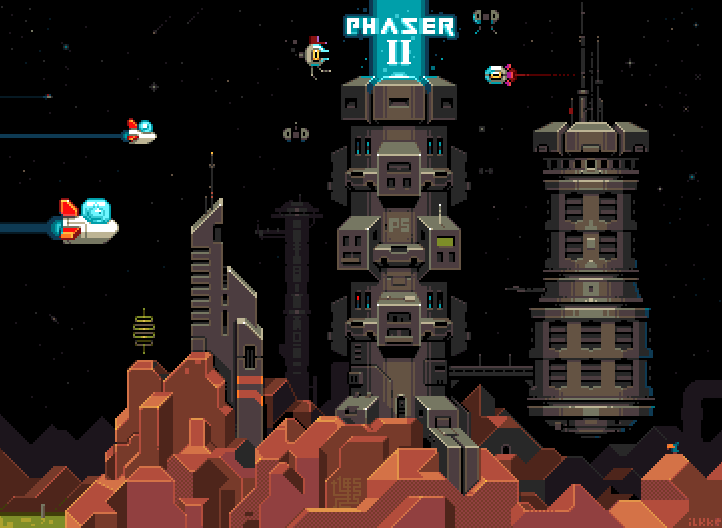
Exactly 6 months after the release of Phaser 1.0 we released version 2. It was a huge update. Not so much in terms of new features, although it did bring its fair share of tasty new treats to the table. But more so it underwent a large internal change. We upgraded to the latest version of Pixi.js, our renderer and this in turn allowed us to literally shave thousands of lines of code out.
The core update loops of all the game objects like Sprite and Button, were dramatically reduced. Lots of the things that caused Phaser 1.x to not be quite as optimal as it could be were eliminated. Expensive routines and processes were either removed entirely or disabled where possible.
It was a big update, but it felt good. It felt clean and fresh. Like when you tidy-up your work space, or white wash a room ready for painting. You know you’re building on top of something sound.
There were a number of API breaking changes moving from v1 to v2, which is why we jumped version number so high (originally it was just going to be the 1.2 release). It was a lot of simple but important alterations. Things like the Group class now properly extending a DisplayObjectContainer, so they can easily be nested and shifted around the display list. Or Sprites no longer having physics bodies by default, or input handlers, which meant the amount of code they process during their basic update is now utterly minimal. Those features are still available of course, you just have to activate them explicitly. The changes were so extensive we produced a Migration Guide to help developers shift over.
The TriForce
Traditionally Phaser has had the ArcadePhysics system built in. This was a port of the one found in Flixel and our Flixel Power Tools. It was fundamentally basic, but still covered quite a lot of bases and most importantly was very easy to use. However the limitations really started to bug us, and we tried to address them in the 1.1.4 release of Phaser, with less than stellar results.
A strong reason for us developing Phaser 2 was so that we could use a proper full-body physics system, in our case the excellent p2.js by Stefan Hedman. And for a good while this was the only physics system we had built in. But as we worked through the weeks of development, it became apparent that there was a real need to keep ArcadePhysics around. Not the broken 1.1.4 version, but the earlier release that mostly just worked, because it didn’t try to be too clever.
-
Phaser 1.1.4 (“Kandor”) released. Check out the new features and roadmap.
5th Feb 2014We planned to release Phaser 1.1.4 towards the end of 2013, but as with all the best laid plans that never quite happened. As we dug further into it we found some key areas that we desperately wanted to update and as we travelled deeper into the rabbit hole more and more things were changed. After weeks of intense work, refactoring, testing and example building we finally broke the surface and 1.1.4 has moved from dev to master on github.
There have been some significant internal API changes, so if you had a game in build under 1.1.3 please be aware of these before blindly upgrading! Here are some of the headlines:
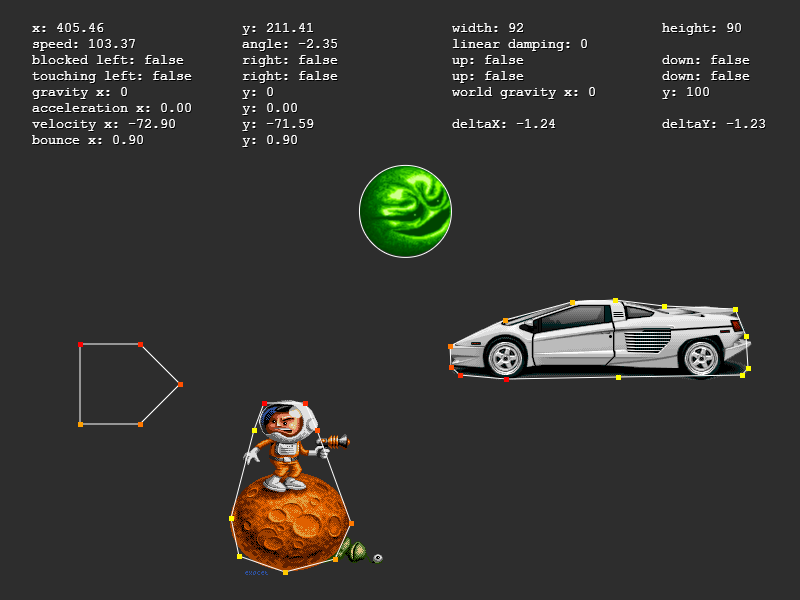
New SAT Based Physics System
The previous physics system relied on AABB for all collision. It was fast, but very limited. You couldn’t use circles, rotated rectangles or create slopes of any kind. We do still plan to use a full proper physics system in Phaser 2.0, but in the meantime we felt that we really needed to give our current one a shot in the arm, and this is the result.Utilising SAT.js internally you can now create much more complex collision shapes and responses. We also made some large changes to the way the delta timer and integration works and added a bunch of new debugging features too.
New Tilemap System
The tilemap system in 1.1.3 was ok, but had some strange limitations. For example if you rotated a sprite it would often pop through a tile into the other side and there was no support for the more advanced features from the Tiled map editor. The new tilemap system resolves the vast majority of these issues. It uses a much more robust ‘edge chain’ for collision detection. It supports multiple tilesets per map. It supports tile specific callbacks and properties defined in Tiled are carried over into Phaser. You can now turn a whole group of tiles into a group of Sprites with one command and mix layer order around with ease. We’ve still more work to do with the tilemaps, but on the whole it’s a marked improvement over the previous version.
-
Phaser games in Ludum Dare 28
20th Dec 2013Ludum Dare 28 took place over the weekend of December 13th – 16th 2013 and saw a staggering 2064 entries. The theme this time was “You only have one” and as usual this theme was pushed in many different and wonderful directions. It was the first LD to take place with a true post 1.0 release of Phaser available, and while I was hoping that a couple of devs may enter Phaser made games, I had no idea that over 20 of them would! And those are just the ones we know about, there may well be more.
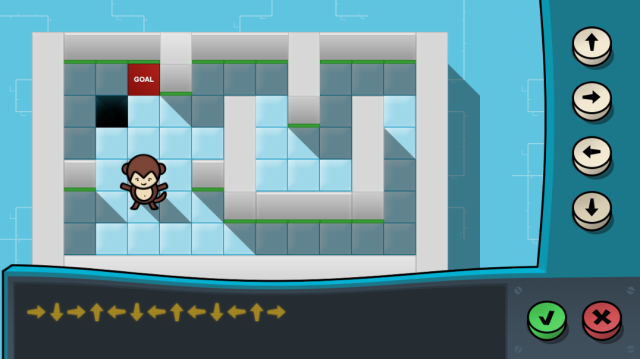
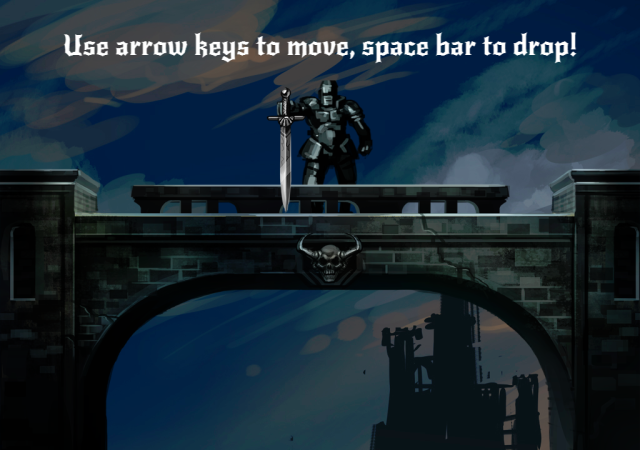
Forum member XekeDeath did a fantastic job of collating them all in a single forum thread, with links to each of them. It was great to see the creativity and some truly polished entries. There were also number of ‘first timers’, their first time entering LD and in most cases their first use of Phaser at all! The fact they managed to pick-up a brand new framework, and code a complete game in it, in just 48 hours is pretty staggering.
Congratulations to everyone who entered. Here are a few screen shots from some of the games. I’ve played them all and left feedback on the forum, but if yours isn’t on the forum please tell me. Do check out the full list. I’m very much looking forward to the next LD! And of course Global Game Jam in early 2014.
Monkey Rally
One Sword
More posts to tickle your grey matter ...
- Phaser Coding Tips 5
- Phaser Coding Tips 4
- Phaser 3 Development Log - w/e 30 Jan
- Phaser Coding Tips 3
- Phaser 3 Development Log - w/e 16th Jan
- Phaser Coding Tips 2
- Phaser Coding Tips 1
- Phaser v2.1.3 and Pixi v2 are out!
- Welcome to the DarkForge - An archive of all my old DarkBASIC code
- Phaser goes to the movies
Hire Us
All about Photon Storm and our
HTML5 game development services

Recent Posts


OurGames
Filter our Content
- ActionScript3
- Art
- Cool Links
- Demoscene
- Flash Game Dev Tips
- Game Development
- Gaming
- Geek Shopping
- HTML5
- In the Media
- Phaser
- Phaser 3
- Projects
Brain Food
