





Given all the current Flash vs. HTML5 furore going on at the moment, I thought I’d throw this into the pit and let it smoke:
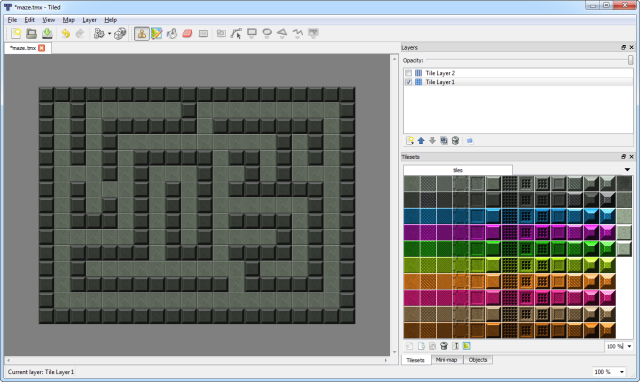
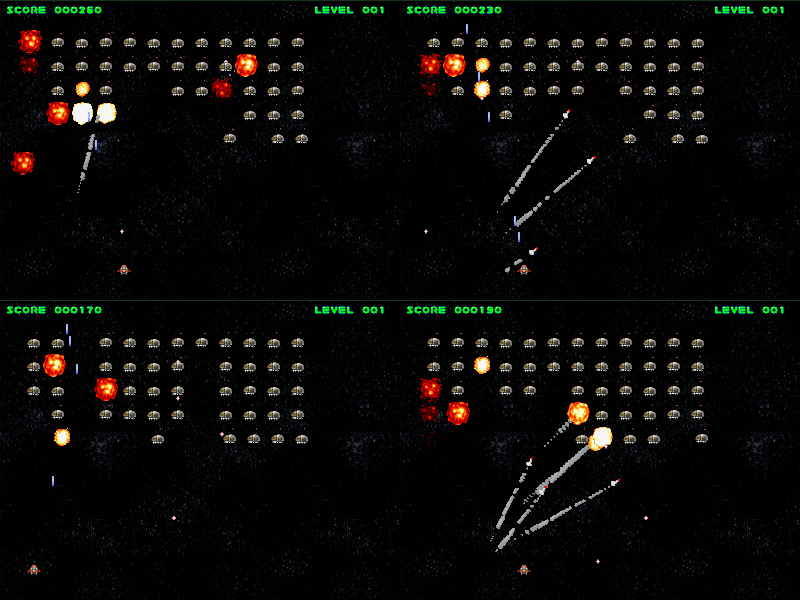
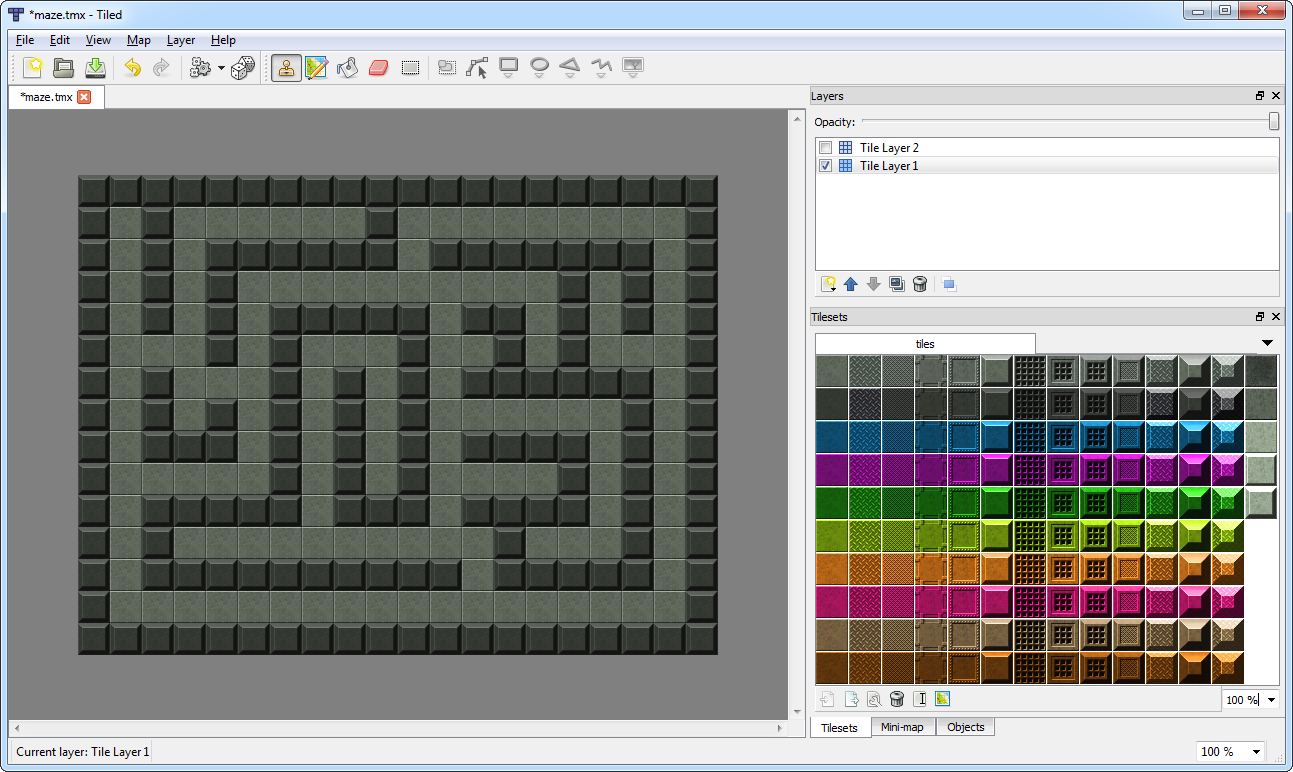
Akihabara is a set of game libraries that let you create 8-bit/16-bit style games using JavaScript, utilising a small sub-set of HTML5 that is available in most modern browsers. Yes, HTML5, not Flash. The site claims they’ll work across Chrome, Safari, FireFox and Opera. Apparently a benefit of the engine is that they’ll also work on the iPhone, although given that they use the keyboard for movements/jump this claim is a little strange. But this is of course game dependant, and you could easily code a “mouse only” game that the iPhone could cope with.

There are some demo games on the site, which are also the example games in the download. None of them are going to set the world on fire and all are easily re-created in Flash at much higher frame rates. But I have full respect for the developer who created this project, and I’d love to see where it progresses.
The only reason I won’t invest any time in digging deeper is that the example games don’t work on Internet Explorer (and nor does the author claim they will). And like it or not IE is still the major browser of choice. As a result this is confined to “nice curiosity” rather than “contender” for the time being.
http://www.kesiev.com/akihabara/
Final thoughts: It’s going to be years before HTML5 is a viable platform for building games, but the day will come. Nothing can prevent it. However I firmly believe that Flash will evolve with this, and there is no reason at all why HTML5/JS can’t become a new publishing target for the Flash IDE.
Of course I firmly hope that Adobe will wake-up and give game developers what they’ve been asking for for years from Flash Player itself. The video battle is over Adobe – you started a whole new wave of technology on the web when you pioneered it. But time has moved on and the browsers have caught up. Leave video behind and start empowering us game developers before you lose us too. We are your final real foothold Flash Player has on the web today. Flash games are still the one area where there are no real contenders, but we regularly have to scale back our games because we know Flash Player can’t cope. We’re hitting the limits of your technology, pushing it as hard as it will go. This is a dangerous place to be.
All of your RIA movements are admirable, but they offer nothing that cannot be achieved via many other different options. Unity know game development, and they know game developers. But their plug-in will never gain critical mass.
Support us or lose us Adobe.

Tags: 8-bit, akihabara, html5, Unity
Posted in On the Web, Retro, Unity | 3 Comments »

I blogged about the Silmarils collection being available for the PC a few months ago, and now DotEmu have opened their new online shop. It’s still in beta but you can browse their PC, iPhone and Online games. If you sign-up now you can grab a few games for free, but I believe this offer is limited for 10 days. They had Ishar 1, Beneath a Steel Sky and Drascula available for free download at the time of writing. The rest of the catalogue, including the brilliant Gobliiins games and the addictive Krypton Egg, are really cheap though, with single games costing only €2.90.
Update: DotEmu have confirmed which free games are available, and when. The line-up is as follows: Ishar 1 from April 26th – 27th, Nicky Boom April 28th – 29th, Metal Mutant April 30th – May 1st, Maya May 2nd – 3rd and Transarctiva May 4th – 5th.
Sign-up at DotEmu.com

Tags: DotEmu, Retro
Posted in Geek Shopping, New Releases | 1 Comment »
It still pains me when I see Flash developers coding huge chunks of ActionScript in the IDE or some text editor that offers precious little more than syntax colouring. I don’t consider the code insight of editors like FlashDevelop a “nice to have”, I consider them vital in making me a productive developer. I can spot syntax / structure errors faster, I can jump back/forth between methods/classes. I can see an overall organisational tree of of my project, allowing me to organise my classes as best I need.
I find the mentality that this is somehow “wrong” more than a little disturbing. It’s like HTML developers who claim they only use Notepad, as if that’s some kind of badge of honor. It’s not. It’s a badge of stupidity.
For quick tests the IDE is fine. For anything serious do yourself a favour and use a proper tool. You may be surprised at how much faster you get stuff done as a result.
In light of this I was really happy to read that Flash Develop 3.1.0 is out. It has some awesome new features, multi-project support being my absolute favourite. Here is the official change list. Download link at the bottom.
- Real MXML completion implemented
- Flash Player 10.1 and Flex 4 support added
- Initial simple refactoring support added
- Global excluded directories added to Tasks
- Embed generation now added for all filetypes
- Proper file encoding behaviour without BOM added
- HTML ZenCoding implementation added (Control + B)
- Output panel is now searchable (Highlight, F3 and Shift+F3)
- Simple multiproject support with batch compiling added (1*)
- Compiler constants and timestamp added now automaticly
- Code completion is now fed with classes from SDK sources
- Japanese localization added (Settings -> SelectedLocale)
- HaXe on demand completion added (patch from filt3r)
- Additional keyword groups added to the config
- Code completion improvements and bug fixes
- General UI improvements and bug fixes
Grab it from here.

Tags: flashdevelop
Posted in On the Web, Reviews | 6 Comments »
I downloaded the Just Cause 2 demo for my 360 a few weeks ago. It was extremely good fun. The grappling hook / parachute combo, and incredible visuals (the landscapes, oh my!) and sandbox nature really had me sold.
So I pre-ordered it for the PC and have been playing it for the past few days.
All I can say is that it’s truly jaw-dropping stuff. Once the training missions are over it’s a freeform sandbox of the highest order. The vehicles are brilliant – from screaming jet fighters, to helicopters to speedboats, and all manner of things in between.
The landscape is a thing of beauty. A whole country to explore with complex river systems, dense jungle, snow-capped mountains, sun drenched beaches and urban cities. If you can see it, you can climb it (one way or another). Visually it’s as impressive underwater as above! With thick coral reefs and a variety of fish. And wow – the day/night cycle! Casting magnificent sunsets / sunrises, and the weather conditions – from dark black clouds with downpouring rain, to heavy snow.

Yes there is a lot of gunplay. And the enemy AI won’t exactly have the Turing Test quaking in its boots. But if you are like me you’ll have fun just exploring the beauty of the place. The engine powering it is nothing short of stunning, and while the voice acting is dull, and the missions all kind of repetitive it doesn’t seem to matter – because that sense of wonder and amazement is JUST high enough to keep you engaged.
The devs responsible for the Avalanche engine ought to be rightly proud of what they have achieved, because it’s nothing short of stunning.
Best game I’ve played in a very long time.
Check out my Flickr slideshow of in-game screen shots I’ve taken over the past couple of days.

Tags: 360, avalanche, just cause 2, pc
Posted in Geek Shopping, New Releases, Reviews | 4 Comments »
FlxU.overlap in Flixel 2 uses the new FlxQuadTree to handle collisions. It allows you to pass in either a single object (say an FlxSprite), a group of objects (FlxGroup), or even a group of groups! To be honest the more you give it, the more useful it proves to be.
However it’s got one annoying side-effect: if you don’t specify a custom function to deal with the collision, it will kill() your objects. This is often a far from ideal end result. For example if you had a bullet and an enemy being compared – you may want the bullet to be killed instantly, but the enemy to be only “hurt” by this, reducing it’s health.
The only way I’ve found to do this so far is to override the “kill” method of FlxSprite (in my Enemy class) and then perform the logic in there. Reduce health, update animation, health < 0, then kill it for real.
This isn’t ideal, but it certainly works – so if you’re stuck in a similar bind with FlxU.overlap, this may help.
Also it’s worth mentioning (as this caught me out too) – if you do specify a custom function for overlap, make sure it returns a Boolean. False will ignore the overlap, true will say you’ve dealt with it. If you don’t return this value it appears to default to killing your objects again.

Tags: collision, flixel, quadtree
Posted in Code, Flixel | No Comments »
I’ve been playing with Flixel a lot recently, and over on the forums someone was having trouble getting a “snake” game to work. I always applaud people who “start simple”, rather than diving in the deep end and sinking without trace.
So I spent lunch time today knocking together a simple snake game in Flixel 2.23.
There are no graphics (just blocks), but it shows how to use an FlxGroup to handle single to many collision checks, simple sprite controls and of course a basic snake game mechanic. The whole thing is just one single class file with no external requirements.
It’s up on my GitHub account here: http://github.com/photonstorm/FlxSnake
And if you want to join in, the forum thread is here: http://flixel.org/forums/index.php?topic=1261.0 (I’m a moderator on the Flixel forums, so drop by and say hi!)

Tags: demo, example, flixel, game
Posted in Code, Flixel | No Comments »
20 man months of work.
Copious amounts of writing, editing, re-writing, re-editing and editing once more.
Stacks of demo games and hundreds of lines of quality source code.
All to make this the finest 650+ pages of AS3 game development ever commited to dead tree.
Jeff and Steve, the 8-bit Dynamic Duo have done it! Their book is finally out …
The Essential Guide to Flash Games: Building Interactive Entertainment with ActionScript

Despite having a slightly odd title (how many games have you ever played that weren’t interactive?!) this book looks awesome. I’ve pre-ordered my copy from Amazon UK and will give it a proper write-up when received. I have major respect for people who hold down full-time jobs / families, and still manage to produce such a mammoth book as this.
There is a bit of blurb on the Friends of Ed web site about it, although not as much as I would have liked. For example no contents listing, no sample chapter, a poor quality cover image and no index even. Given how many books on web development FoEd produce it begs the question why their own site is so shit. But I digress (and hopefully they will update this page over time). So for now the best place to learn about the contents is from the horses mouth so to speak, here on the 8-bit Rocket.
Congrats Jeff and Steve – I wish you all the best with sales. All you have to do now is stop calling my games advergames and the world will be perfect

Tags: 8-bit rocket, book
Posted in Code, Geek Shopping, Interesting Articles, On the Web, Techniques | 2 Comments »
“Games, you see, are about having control.
Videogames, most often, present the player with a world with a single end goal of “winning”. They are a perfect contrast to the real world, in which one makes one’s own goals, where goals and desires are constantly shifting, and the only ending anyone ever sees involves the main character dying.
News flash: most people in the world are not astronaut supervisors or rock-star-slash-helicopter-pilots. Most people never get an opportunity and/or have the balls to be the guy who shows up to his job in a big stuffy corporate office on his first day in a leather jacket and sunglasses, tell the boss “You codgers need to change your game!”, and be the flip-flop-wearing CEO by Friday. Games like Dynasty Warriors give us a world with the invincibility code turned on: now we are the badass warrior capable of killing 300 guys before learning what a flesh wound is.
We do — and this is a trite a thing as one can say — play games, sometimes, to escape the real world. People talk about that all the time. What I am proposing is that we play games precisely to avoid the parts of the world that tell us what to do, and when to do them, dangling “a more comfortable life” in front of our eyes all the while.
Though that’s not all: games also present us with things we can finish. Things we can see through to an intended end. And we want to see the end. And the makers want us to see the end. Hence their trying to help us.”
From Tim Rogers excellent article. I read it last year, and recently had reason to read it again. It requires a time investment to read it all, but it’s one I feel will pay back on itself many times over.

Tags: development, Quotes, Tim Rogers
Posted in On the Web, Quotes | No Comments »
Goodness, the Interwebs surely have exploded with this whole Flash vs. HTML5 debate. I don’t think I’ve read so much dis-information since “weapons of mass destruction”.
There is an excellent piece here (“I’d rather be a Woz“) all about it, which covers everything I feel, and strips away the sensationalist clap-trap coming from most quarters.
But if that post summed it up so brilliantly, why am I writing here? It’s simple really. It doesn’t matter how many brainless blog posts and comments are made about how “terrible” Flash is, or how HTML5 is the bringer of world peace and technological unity. None of that translates into the real world right now, today.
At work we are building some truly massive Flash based projects, in partnership with some of the largest broadcasters in the world (most projects of which I can’t even mention in passing, let alone link to). Sites that will be visited by tens of millions of people. Last week we released a new Shaun the Sheep game called “Home Sheep Home“. It has spread around the gaming portals like wild-fire, and is currently hitting 570,000+ plays per day. Since this time last week over 3 million people have enjoyed playing that one single game.
And you know what makes that possible? Flash Player does. Adobe does.
Would the same have happened if we’d made it in HTML5 and JavaScript? My arse would it. If we’d done that our support team would be pulling their hair out as millions of people across the world email to say “it doesn’t work in my browser!”. Maybe in 10 years time things will change. I for one surely hope so, as choice is a good thing – and goodness knows HTML4 needs a shot in the arm to wake it up from the 90s. But Adobe don’t sit still. Where will Flash be a decade down the line? Heck of a lot further on than where it is today, that’s for sure.
So you know what fellow Flash devs… stop reading the constant stream of HTML5 / Standards / iPad ramblings (to which I just added
), and get back to making and releasing great quality Flash games and sites. Because for every new release you put out there, you’re just strengthening what is already the largest platform in the world. Leave the zealots to their theory and hypothesis, because you and I are the front-line, and our creations are what makes the web a fun place to be.

Tags: arse, html5, shaun the sheep
Posted in Rants | 9 Comments »
A couple of guys on Twitter asked me if I would write-up how I generate PNG files from MovieClips in my SWF, at run-time. So I put this example together and am sharing it here.
We use this technique in our virtual world WebbliWorld to save a PNG version of the users avatars after they have customised them. But there are all kinds of other reasons you may need this. My example includes two methods: Saving the PNG locally using the local file system, and Saving the PNG to a web server using AMFPHP.
This technique requires Flash Player 10 and the Adobe AS3 Core Lib.
Here's a very simple example (included in the zip download below):
Essentially it all boils down to this:
1) When you are ready to save your image, create a Bitmap version of your MovieClip.
Actionscript:
-
private function getMovieClipAsBitmap():Bitmap
-
{
-
var bounds:Rectangle = theMovieClip.getBounds(theMovieClip);
-
-
// The * 2 is because we're scaling the clip up by a factor of two, to result in a larger PNG
-
// If you don't need this, remove it and comment out the m.scale call below
-
var theBitmap:Bitmap = new Bitmap(new BitmapData(bounds.width * 2, bounds.height * 2, true, 0x0));
-
-
var m:Matrix = new Matrix(1, 0, 0, 1, -bounds.x, -bounds.y);
-
-
// Simply scale the matrix to make a bigger PNG. Here we are doubling it. Comment this out if you don't need it.
-
m.scale(2, 2);
-
-
// Need to crop the PNG to a given size? Pass it a Rectangle as the 5th parameter to draw()
-
//var r:Rectangle = new Rectangle(0, 0, 50, 40);
-
-
theBitmap.bitmapData.draw(theMovieClip, m, null, null, null, true);
-
-
return theBitmap;
-
}
2) Convert this Bitmap to a ByteArray.
Actionscript:
-
private function getMovieClipAsByteArrayPNG():ByteArray
-
{
-
var data:Bitmap = getMovieClipAsBitmap();
-
-
var ba:ByteArray = PNGEncoder.encode(data.bitmapData);
-
-
return ba;
-
}
3) Send this ByteArray to either the local filesystem, or AMFPHP.
Actionscript:
-
// Uses FileReference to save the PNG locally to the hard drive (see "saveToServer" for an alternative)
-
private function saveLocalPNG(event:MouseEvent):void
-
{
-
var ba:ByteArray = getMovieClipAsByteArrayPNG();
-
-
file.save(ba, "BirdyNamNam.png");
-
}
Complete source code is included in the zip file including an AMFPHP PHP script for saving on a web server.
Hope someone finds this useful.
Download the Soure Code zip.

Tags: amfphp, example, png
Posted in Code, Tutorials | 3 Comments »
Blockparty is an annual demo party held in the US, and 2010's is about to hit in a few months time. As with all good demo parties there is usually an invitation demo to announce it, and to whet the appetite somewhat. This year EvoFlash created this little beauty, and of course it's AS3 to the core:

I've not been to a demo party since 1999, but boy does this make me wish I could be there. Nice one guys, nice one.
There are some lovely effects as you'd expect. Evoflash have been at this for years now, and obviously have a highly streamlined demo pipeline going on. With impressive pre and post render effects; gorgeous blooms, radial blurs, reflections and shadowing. And what's more - they have released it as open source, free for demo coding plebs like me to use!
Called evoTinyEngine it's a small framework that offers you three core elements: Assets, the main Engine and Modifiers. The Modifiers can be stacked up on-top of each other. The Engine handles the construction and destruction of all the Modifiers for you, and there are some really nice things ready to use. Everything is based on 16th note beats, which allows for tight syncing with the audio in your demo.
I haven't dug through the code much yet but I'd be willing to bet there are some insane routines in there, that would be well worth studying for game development as well as demos.
(Now let's see if this blog post kicks off a 20+ comment flame war about "is it really a demo?" yadda yadda ...

Tags: demo framework, demoscene, evoflash, evoTinyEngine
Posted in Code, Demo Effects | 6 Comments »